
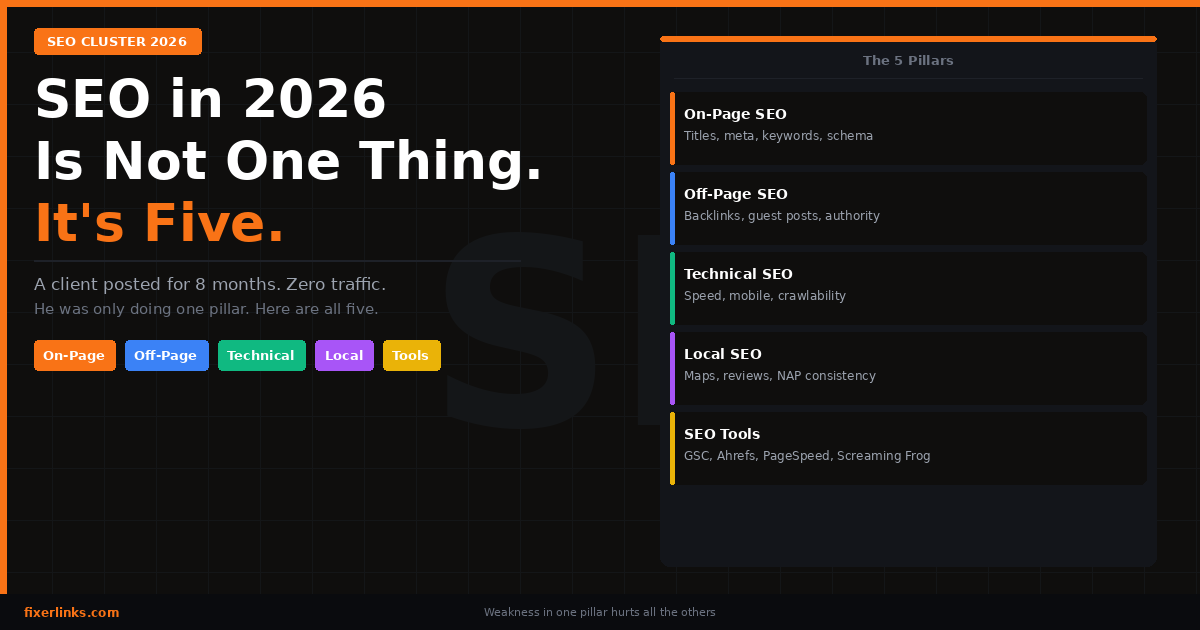
- SEO is not just keywords. It has 5 pillars: on-page, off-page, technical, local, and tools
- Most people only focus on one. That is why they do not rank
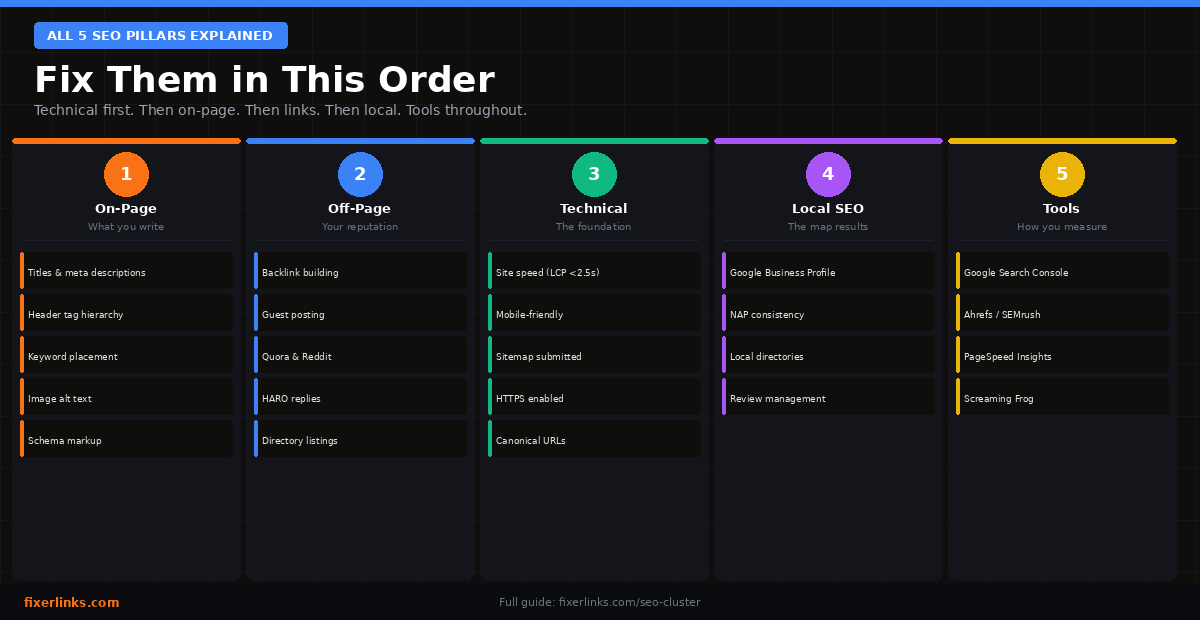
- You do not need to fix all five at once. Start with technical, then on-page
- Each pillar links to the others — weakness in one hurts everything else
- By the end of this post you will know exactly where your site is weak
A client messaged me on Fiverr last month.
He had been posting on his WordPress blog for eight months. Three posts a week. Good topics. Decent writing. Zero traffic.
He asked me: “Is my content bad?”
I ran a quick audit. His content was fine.
The problem was everything else.
His images were 3MB each. His pages were not indexed. He had no backlinks. His title tags were all the same. His Google Business Profile did not exist.
He was doing one part of SEO and ignoring the other four.
That is the mistake most people make. They think SEO is just keywords. It is not. SEO in 2026 is a cluster. Five connected pillars. And if one is broken, the others cannot carry you.
Let me walk you through all five.
What Is an SEO Cluster?
Think of your website like a house.
On-page SEO is the interior. Off-page SEO is your reputation in the neighbourhood. Technical SEO is the plumbing and wiring. Local SEO is the address sign outside. And SEO tools are the inspection reports that tell you what is broken.
A beautiful interior means nothing if the plumbing is broken. A great reputation means nothing if no one can find your address.
That is an SEO cluster. Five systems. All connected. All required.
Pillar 1 — On-Page SEO: What You Put on the Page
On-page SEO is everything on the actual page that helps Google understand what it is about.
Most people think this just means using a keyword a few times. It is more than that.
Title tags. This is the blue link Google shows in search results. Every page needs a unique title. It should include your main keyword. And it should make a human want to click it. Not “Home.” Not “Blog Post 1.” Something like: “Technical SEO Checklist 2026 — 10 Fixes That Take Under an Hour.”
Meta descriptions. This is the two-line summary under your title in Google. Google does not always use it. But when it does — it is your one chance to convince someone to click. Write it like a short advertisement.
Header tags. Your H1 is your page title. Your H2s are your main sections. Your H3s are sub-points inside those sections. Google reads this structure like a table of contents. If your headings are random — Google gets confused.
Keyword placement. Put your main keyword in the title, first paragraph, one H2, and naturally throughout the content. Do not stuff it. Just use it where it fits.
Image alt text. Every image on your site has an alt text field. Most people leave it blank. Fill it in. Describe the image simply. Include your keyword if it fits naturally. This helps Google index your images and understand your page better.
Internal links. Link from your blog posts to your other pages. Think of it like building roads inside your site. Google follows those roads. More roads to a page = Google thinks that page is important.
Schema markup. This is code that tells Google what type of content you have. FAQ schema. Article schema. Business schema. You do not need to write code. RankMath plugin does it for you. Turn it on.
Pillar 2 – Off-Page SEO: What Happens Outside Your Site
Off-page SEO is your site’s reputation on the internet.
Google does not just look at your site. It looks at what other sites say about your site. If many trusted websites link to you — Google trusts you more.
Think of it like this. If ten people you respect recommend a restaurant — you trust it. If nobody mentions it — you are not sure. Google works the same way.
Backlinks. A backlink is when another website links to your page. Not all links are equal. A link from a DR 80 site is worth more than ten links from DR 10 sites. Quality over quantity. Always.
I covered the exact backlink strategy I use for FixerLinks in detail — check the full backlink guide here. But here is the short version:
Start with free directory listings. Claim your Google Business Profile. Submit to Clutch.co, Trustpilot, and Crunchbase. These are DR 80+ backlinks. Free. Takes two hours. Do it this week.
Then move to guest posts. Write one article per week for other blogs in your niche. Link back to your site in the content. Over 90 days this builds serious authority.
Guest posting. Write one useful article for another blog. They publish it. You get a backlink. Their audience finds you. Win-win.
Influencer mentions. Get mentioned by someone with an audience. Even a small mention from a trusted voice drives backlinks and traffic.
Forum and Q&A. Answer questions on Reddit and Quora. Link back to your blog posts where relevant. Do not spam. Be genuinely helpful. The links add up.
Social bookmarking. Share your posts on platforms like Medium, Substack, and Dev.to. These create additional signals that your content exists and is being shared.
Pillar 3 – Technical SEO: The Engine Under the Hood
This is the one most people ignore. And it is the most important one to fix first.
Technical SEO has nothing to do with your content. It is about whether Google can physically access, read, and trust your site.
I wrote a full technical SEO checklist covering all 10 fixes. Here are the ones that matter most:
Site speed. Go to pagespeed.web.dev right now. Test your homepage. If your LCP score is above 2.5 seconds — your site is too slow to rank well. The number one fix is compressing your images. Most WordPress sites have images that are 1–3MB. They should be under 150KB. Use Squoosh.app or install Imagify.
Mobile friendliness. Google ranks the mobile version of your site. Not desktop. Open your site on your phone. If the text is too small, the buttons are hard to tap, or the menu does not work — Google knows. And it ranks you lower everywhere.
Sitemap and robots.txt. Your sitemap tells Google which pages exist. Your robots.txt tells it which pages to ignore. Both need to be set up correctly. In WordPress, RankMath generates your sitemap automatically. Submit it in Google Search Console under Sitemaps.
Canonical URLs. If your site is accessible at both www.yoursite.com and yoursite.com — you have a duplicate content problem. Google sees them as two different sites splitting your authority. Pick one version. Redirect the other.
HTTPS. If your site still loads on HTTP — fix this today. Google has flagged non-HTTPS sites as “Not Secure” since 2018. Visitors leave. Google ranks you lower. Your host can enable SSL in one click.
Structured data. This overlaps with on-page SEO. But technically it lives in your site’s code. Schema markup is structured data. It tells Google what type of page this is — article, FAQ, business, review. Use it everywhere.
Pillar 4 — Local SEO: Showing Up for People Near You
If you run a business that serves a specific location — local SEO is not optional. It is the most direct path to customers.
When someone searches “WordPress developer near me” or “Shopify store setup Sri Lanka” — local SEO decides whether you show up.
Google Business Profile. This is the most important free tool in local SEO. Claim your profile. Add your business name, address, phone number, website, photos, services, and hours. Update it regularly. It is what powers the map results in Google.
NAP consistency. NAP stands for Name, Address, Phone number. These three pieces of information should be identical everywhere on the internet. Your website. Your Google Business Profile. Your Trustpilot listing. Your Clutch.co profile. Even one small difference — like “St.” vs “Street” — confuses Google and weakens your local rankings.
Local directory listings. Get listed on Bing Places, Apple Maps, Yelp, and any industry-specific directories relevant to your location. Each listing is a backlink and a trust signal for local search.
Reviews and ratings. Ask every happy client to leave you a review. On Google. On Trustpilot. On your Fiverr profile. Reviews do two things: they build trust with new visitors, and they improve your position in local search results. A business with 50 reviews outranks one with 5 — almost every time.
Pillar 5 – SEO Tools: You Cannot Fix What You Cannot See
Here is something I tell every client: SEO without tools is guesswork.
You need data. You need to know which pages are not indexed. Which keywords you are ranking for. How fast your site loads. Where your backlinks are coming from. What your competitors are doing.
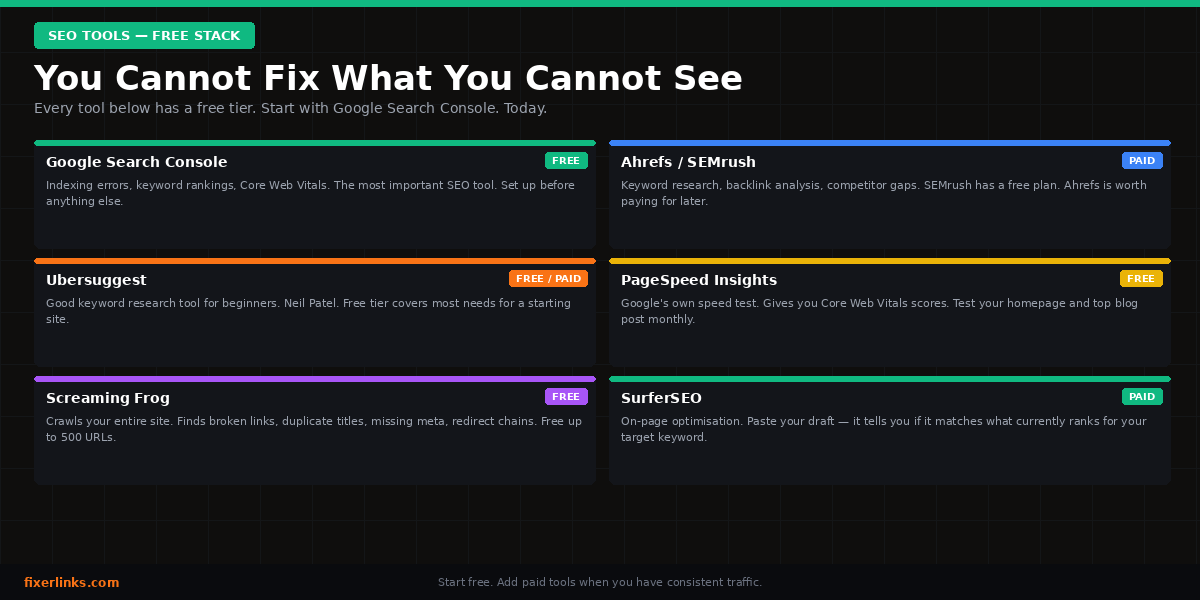
These are the tools I use every week. All of them have free tiers.
Google Search Console. Free. Non-negotiable. Connect your site. This shows you every keyword Google has ranked your pages for, every indexing error, every Core Web Vitals problem. If you do one thing today — set this up.
Ahrefs / SEMrush / Ubersuggest. These are keyword research and backlink tools. Ahrefs and SEMrush are the industry standard. Ubersuggest is a cheaper option that works well for beginners. Use these to find keywords, track your rankings, and see who links to your competitors.
PageSpeed Insights and GTmetrix. Both test your site speed. PageSpeed Insights gives you your Core Web Vitals scores. GTmetrix gives you a waterfall diagram showing exactly which files are slowing your site down. Use both. They show different things.
Screaming Frog. A free crawler that scans your entire site and lists every broken link, duplicate title, missing meta description, and redirect chain. Run this monthly. It finds problems you would never spot manually.
SurferSEO. An on-page optimisation tool. You write your article, it tells you whether your keyword density, headings, and content length match what is currently ranking for your target keyword. Very useful when you are trying to push a post from page two to page one.
Which Pillar Should You Fix First?
Here is the order I follow with every client.
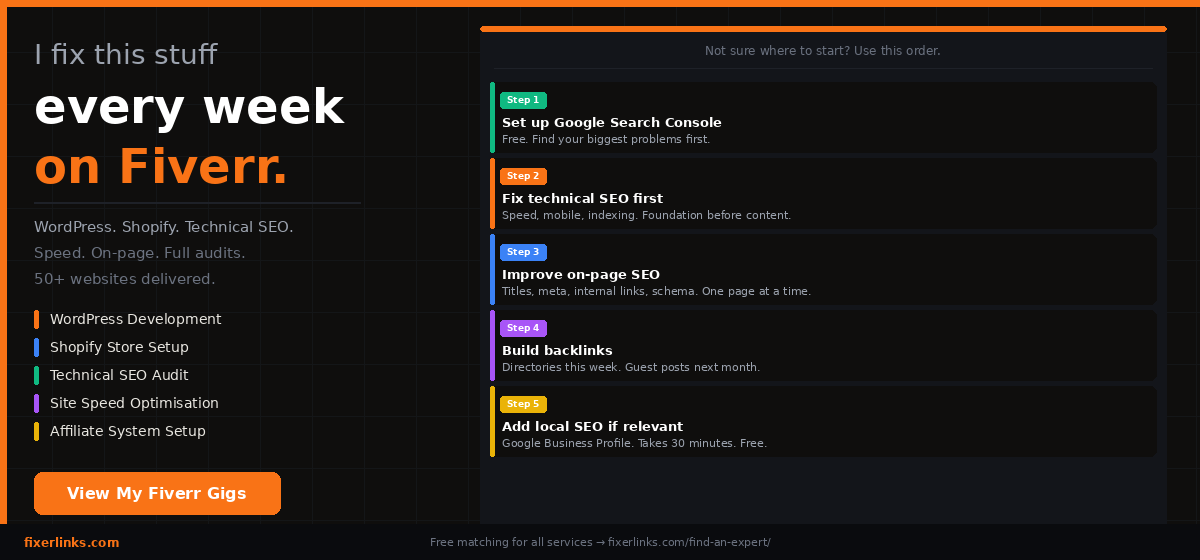
Start with technical. There is no point writing great content if Google cannot crawl your site. Fix indexing errors, compress images, submit your sitemap, check mobile usability. This takes a weekend. Do it first.
Then fix on-page. Go through your existing pages. Fix every title tag. Write every meta description. Add alt text to images. Build internal links. Add schema. This takes one to two weeks if you do a few pages a day.
Then build off-page. Start with free directory listings. Then guest post outreach. Then HARO replies. This is ongoing. Set a weekly routine — two pitches on Wednesday, three Quora answers on Friday.
Add local SEO if relevant. If your business serves a location — do this in parallel with technical. Claim your Google Business Profile this week. It is free and takes 30 minutes.
Use tools from day one. Set up Google Search Console before anything else. It is free and it will show you problems you did not know existed.
The Five Pillars Together – A Quick Reference
| Pillar | What it fixes | Where to start |
|---|---|---|
| On-Page SEO | Content and page structure | RankMath plugin — fix all red/orange scores |
| Off-Page SEO | Authority and backlinks | 10 free directory listings this week |
| Technical SEO | Crawlability and speed | pagespeed.web.dev + Google Search Console |
| Local SEO | Location-based visibility | Google Business Profile |
| SEO Tools | Measurement and insight | Google Search Console (free) |
Frequently Asked Questions
Do I need to do all five pillars to rank? You need at least three — technical, on-page, and some off-page. Without technical SEO, nothing else works. Without on-page SEO, Google cannot understand your content. Without backlinks, you will not beat sites that have them. Local SEO only matters if you serve a specific location. Tools help you do everything else faster and smarter.
Which type of SEO is most important in 2026? Technical SEO comes first. Always. A fast, crawlable, mobile-friendly site is the foundation. You can have perfect content and zero backlinks will matter if Google cannot index your pages. After technical, on-page SEO. After that, backlinks.
How long does SEO take to work? Technical fixes can show results in 2 to 4 weeks once Google recrawls your site. On-page improvements typically show ranking movement in 4 to 8 weeks. Backlink building takes 3 to 6 months to produce visible results. SEO is not fast. It compounds. The work you do this month will pay off for years.
Can I do all of this myself without an agency? Yes. I do this for clients every day on Fiverr and every tool I mentioned has a free version. The only time you need to pay is for Ahrefs or SEMrush for advanced keyword research — and even then, Ubersuggest and Google Search Console cover 80% of what you need for free.
What is the difference between on-page and technical SEO? On-page SEO is what you write and how you structure your content. Technical SEO is how your site is built and how it performs. They overlap in places — schema markup is both. But they solve different problems. On-page tells Google what your page is about. Technical tells Google it can actually access and trust the page.
Need Help With Any of This?
On fiverr You can get the support from SEO specialists, You can choose a Good freelancer From the below Button.
If you need any help on WordPress speed. Shopify setup. Technical audits. If you want it done properly without spending months figuring it out yourself — I can help. Message me from the below link!
View my Fiverr gigs → fiverr.com/mayantharandunu
Need something outside my services? Copywriting, graphic design, video editing — you can find a vetted freelancer for almost anything on Fiverr.
Get the best freelancers Support→ fixerlinks.com/find-an-expert/
So leave your idea about SEO Cluster 2026 as a comment Below, Thank you for reading. Hope you found this article useful.
Written by Mayantha Randunu — Fiverr Level 2 WordPress & Shopify developer. fixerlinks.com | portfolio.fixerlinks.com