
Why does this problem happen?
Hello! I’m Mayantha, a developer and SEO expert with nearly 5 years of experience working with websites.
Today, I’m going to answer the question:
“Why are my ads disapproved for the Google Ads Circumventing Systems policy?”
Before we begin, I want to mention that this complete guide is based on solutions officially provided by Google, as well as insights gathered from articles written by people who have successfully resolved this issue. All the information shared here comes from hours of in-depth research.
During my research, I discovered that many advertisers were never able to solve this problem, mainly due to a lack of proper guidance and clear strategies. That’s exactly why I decided to create this guide—to help you avoid confusion and take the right steps.
So, let’s get started.
Read until the end and carefully follow the tips I’ve shared. If you do, I’m confident that your chances of getting approved will significantly increase.
The Google Ads circumventing systems policy error often appears when Google detects behavior that looks like you are trying to hide something from its automated review systems.
Many site owners mistakenly think “If it works for users, it’s fine,” but Google’s system looks for consistency between what users see and what Google sees. If something is hidden, delayed, or altered in a way that could confuse or bypass the review system, Google stops the ads.
This happens not only with intentional cloaking tools but also by accident when sites use redirects, popups, tracking scripts, or complex funnels that behave differently depending on the visitor.
Step 1: Remove cloaking, hidden redirects, and traffic loops
What to do (WP Dashboard):
Go to Plugins → Installed Plugins
Temporarily deactivate:
- Cloaking plugins
- Redirect plugins (e.g., landing page funnels, SEO redirect tools)
- Any script manager that hides content
If you don’t have an idea about the plugins, contact your developer and ask which plugins belong to the above plugins. Then temporarily deactivate those plugins. Also note, deactivating these plugins can damage your website structures and designs, so keep your developer updated.
Why this matters:
Google must see exactly what users see — no hidden paths, no redirects, no surprises.
What goes wrong if skipped:
- Hidden redirect chains confuse Google
- Google thinks content is masked or manipulated
Explanation:
Even legitimate redirect plugins can behave differently for users and bots. When that happens, Google flags it as “circumventing systems.” So if this is the reason for the error, keep those plugins deactivated until you get the approval. Also recommends finding a better alternative even after getting the approval.
Step 2: Ensure your landing page loads the same for Google and users
What to do (WP Dashboard):
Go to the landing page used in your ad
Open it in:
- Incognito mode
- Mobile and desktop devices
- With and without cache enabled
Why this matters:
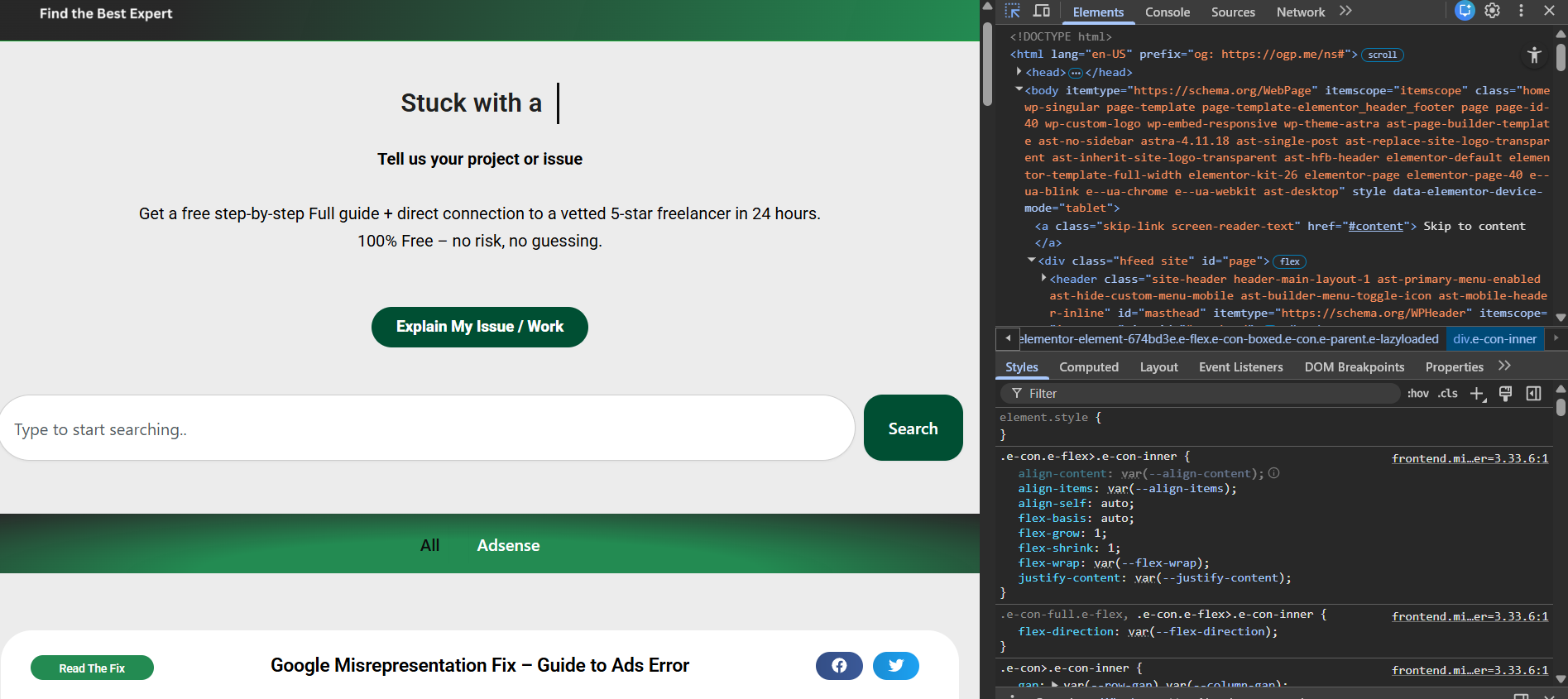
Consistent page delivery prevents Google from thinking content is being masked or hidden. So be sure that website loads same for both Google and users. Using the inspect tool, you can view the website on responsive devices.
What goes wrong if skipped:
- Users see one thing, Google sees another
- Dynamic scripts can swap content based on the user agent
Explanation:
Google scans pages using bots. If your page’s JavaScript or animations delay loading text or replace content after delays, Google may interpret it as automated or obfuscated.
Step 3: Remove unnecessary scripts and tracking that alter page content
What to do (WP Dashboard):
Go to Plugins → Installed Plugins
Disable:
- Complex tracking scripts
- Script managers that load conditional content
- Third-party funnel trackers
Why this matters:
Scripts that change page content after load can make Google think the system is being bypassed. So don’t use the scripts that change the website content.
What goes wrong if skipped:
- Google reads old or hidden versions of your page
- Page fails consistent review checks
Explanation:
Google wants the static version of the page. Scripts that alter or delay core content can mimic “cloaking” behavior. Also once you fix this, clear the cache too.
Step 4: Simplify landing page structure and content logic
What to do (WP Dashboard):
Edit the landing page to simplify it.
Avoid:
- Multi-step form redirects
- Popup layers that trigger before the content
- Auto-forwarding to other URLs
Why this matters:
Straightforward landing pages are easier for Google to evaluate and less likely to trigger system circumvention flags. Also, don’t forget to remove any other networks that you have enabled. Keep the form within one page, especially the contact us page. Then if you have enabled any popup when trigger when visitor visits your site, Turn that off untill you get the approval.
What goes wrong if skipped:
- Google may see reloading loops
- Bounce logic confuses bot crawlers
Explanation:
Complex funnels often load parts dynamically, which Google can interpret as content masking or deceptive design.
Step 5: Remove or correct URL parameters that change page behavior
What to do (WP Dashboard):
- Look at your ad’s final URL
- Remove unnecessary tracking parameters
- Use a clean canonical URL
Example:
Instead of
Use
Why this matters:
Parameters that change content based on the source can be misinterpreted as behavior hiding.
What goes wrong if skipped:
- Google sees different versions of the same page
- Review bots may interpret version discrepancies as manipulation
Explanation:
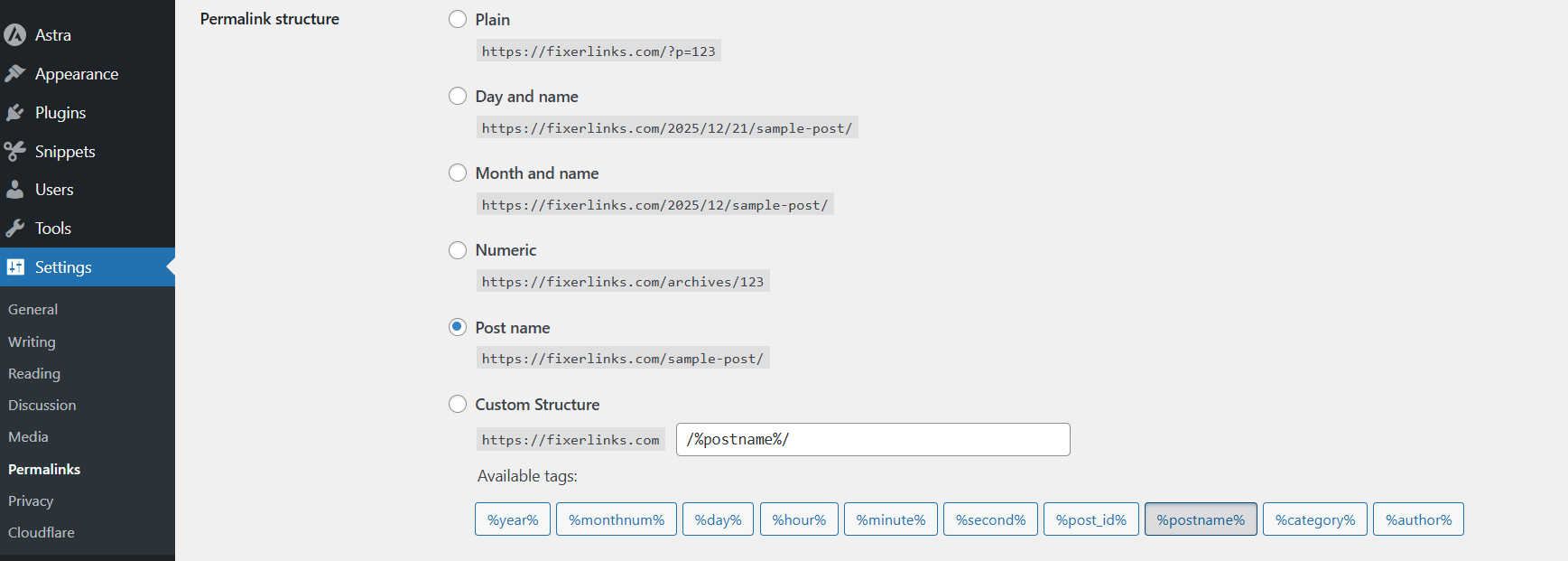
Google prefers stable, predictable URLs without conditional content changes. This can be fixed just selecting postname in settings.
Wp dashboard > Settings > Permalinks > Select postname
Step 6: Test landing page with Google’s ad tools and request review
What to do:
- Go to Google Ads → Policy Manager
- Select the disapproved ad
- Use the Ad Preview & Diagnostics tool
- Test the landing pageClick Request Review
Why this matters:
Testing shows if Google sees the updated page correctly before you resubmit the review. Once it seems everything is ok. Request the approval again. If you request without doing the fixes, your chances of approval may become harder. So make sure all is ok.
What goes wrong if skipped:
- Submitting review too early
- Limp fixes not reflected yet
Explanation:
Only submit after verifying that bots and users see the same content.
Common mistakes people make
- Keeping multiple redirect plugins active
- Using heavy scripts that change page content
- Forgetting to clean URL parameters
- Testing only as logged-in admin
- Requesting review before updates take effect
Each of these increases the chance that Google will still think you’re trying to “circumvent systems.”
Experience note
In practice, this policy issue is often unintentional. Websites with modern JS frameworks, dynamic loading, or SEO plugins can sometimes behave differently for Google’s crawler than for the user — and that difference is exactly what triggers this policy error. Once the page is simplified and delivers a consistent experience, Google almost always approves the ads on re-review.
When DIY may not be enough
- Your site uses advanced JS frameworks
- You rely on multi-step conversion funnels
- Multiple redirect layers exist across domains
- You’re not sure how scripts affect page rendering
Then an expert review of your site structure may be necessary to ensure consistency and prevent future policy flags. This is not about “fixing ads” — it’s about website behavior that aligns with Google’s systems. Google tries its best to filter the best websites to rank well on the search engine. So we cant trick them. Only we have to be geniune and maintain the website according to how google policies says.
🎯 Summary
To fix google ads circumventing systems policy:
👉 Remove hidden redirects and cloaking tools
👉 Make sure the page loads the same for users and Google
👉 Simplify scripts and dynamic content
👉 Clean up URL parameters and tracking
👉 Test with Google tools before review
Do this → ads usually get approved again without policy flags ✅
So I think you enjoyed this article and found some useful tips. Don’t forget to leave me a comment down below. It will be a lot to me. Thank you so much for reading.
