

Shopify AI Chatbot Setup Guide
Hi, I’m Mayantha, a Shopify and WordPress developer. Over the last few years, I’ve worked with many online stores — from small solo founders to growing e-commerce brands. One thing has become very clear recently:
Automation is no longer optional for online stores. It has become such a essential factor for the shopify stores.
Customers today expect instant answers, seamless navigation, and assistance at every step of their purchasing journey. They don’t want to wait hours for replies, search endlessly for information, or send emails just to ask simple questions.
That’s exactly why I decided to write this Shopify AI chatbot setup guide.
In recent months, AI chatbots have gone from “nice to have” to one of the most powerful upgrades a Shopify store can implement — especially for store owners who want to save time, improve customer experience, and increase conversions without hiring a large support team.
In this guide, I’ll walk you through everything you need to know, based on my personal experience and practical implementation of the AI bot.
By the end of this article, you’ll understand:
- What a Shopify AI chatbot really is (in simple terms)
- Why AI chatbots help stores sell more and support customers better
- Popular AI chatbot tools and competitive apps (and where they fall short)
- A friendly, step-by-step Shopify AI chatbot setup walkthrough
- Common mistakes store owners make
- When it makes sense to work with an AI chatbot expert instead of doing everything yourself
It’s ok. Whether you’re a beginner or an experienced store owner, this guide will help you make smarter decisions. Also If you have little experience with technical things, I will give you the steps on how to set up the Chatbot. So lets start with knowing what is shopify AI chatbot?
What Is a Shopify AI Chatbot?
A Shopify AI chatbot is an automated assistant that uses artificial intelligence to communicate with your store visitors in real time.
Unlike traditional rule-based chatbots that only respond to fixed commands, modern AI chatbots can:
- Understand natural language
- Respond conversationally (almost like a human)
- Learn from your store content
- Adapt responses based on customer intent
On a Shopify store, AI chatbots are commonly used to:
- Answer product questions instantly
- Handle shipping and return inquiries
- Track orders automatically
- Recommend products based on needs
- Capture leads and contact details
- Reduce repetitive customer support work
These chatbots can be added to:
- Your Shopify website
- Facebook Messenger
- Other customer communication channels
The main goal is simple but powerful:
make your store easier to use while guiding customers toward a purchase — without manual effort.
Why Shopify Stores Are Adopting AI Chatbots
As someone who builds and optimizes e-commerce websites, I’ve seen one major shift in customer behavior. People expect online stores to behave like physical stores with staff available — except online, that availability needs to be 24/7.
If visitors don’t get answers quickly, they leave.
Here’s why more Shopify stores are adopting AI chatbots:
1. 24/7 Availability Without Hiring Staff
Your chatbot never sleeps. It responds instantl,y whether it’s day or night, weekday or weekend. This is especially important if you sell internationally.
2. Higher Conversion Rates
Many visitors leave simply because they have unanswered questions:
- “Is this product right for me?”
- “Does this ship to my country?”
- “What size should I choose?”
AI chatbots answer these objections instantly and guide customers to the right products.
3. Reduced Support Workload
Questions about shipping times, return policies, and order status are extremely repetitive.
A chatbot handles these automatically, freeing up your time to focus on growth instead of inbox management.
4. More Professional Store Experience
Even small Shopify stores feel more established when they have a smart chatbot.
It builds trust and makes customers feel supported.
Popular Shopify AI Chatbot Tools (And Competitive Apps)
Before setting up a chatbot, it’s important to understand the options available — and their limitations. I did research by myself to find the best AI chatbot tools available in 2026 to build your Shopify AI chatbot. Here are the Top 04 Apps I found,
1. Shopify Inbox (Basic Automation) – Free Version
Pros
- Built directly into Shopify
- Very easy to start
Cons
- Limited AI intelligence
- Mostly manual or rule-based responses
Best suited for very small stores with minimal needs. Read more about Shopify inbox ...
2. Tidio AI ( Paid App )
Pros
- Easy Shopify integration
- AI-powered replies
Cons
- Advanced features require higher-tier plans
- Limited flexibility for complex stores
Read More about Tidio AI…
3. ManyChat / Chatfuel ( Free version Available )
Actually, this app is not mainly made for Shopify. But you can use it with Emails, SMS, Messenger, WhatsApp, TikTok & Instagram. I included this, if you are managing your customers on these platforms rather than building the chatbot on your shopify You can use this app.
Pros
- Excellent for Facebook Messenger and WhatsApp
- Visual flow builders
Cons
- Not deeply focused on Shopify logic
- Complex flows become difficult to manage at scale
Read More about ManyChat…
4. Custom AI Chatbots (ChatGPT, GPT-4, Claude APIs)
Pros
- Advanced AI understanding
- Fully customizable
- Best long-term flexibility
Cons
- Requires technical setup
- Needs proper training and guardrails
This is where many Shopify merchants decide to work with AI chatbot experts, because the tools alone are powerful — but only when set up correctly. So if you are looking for a highly customizable AI chatbot, you may need to work with a freelancer who is passionate about this, Discuss with a Freelancer…
Shopify AI Chatbot Setup Guide
Now let’s get practical. Im going to guide you to setup an AI chatbot on your store, If you can follow these steps correctly, No need to hire a Freelancer , You will be able to do the work Yourself.
This approach is actually ideal for:
- Solo Shopify store owners
- Small ecommerce brands
- Anyone who wants a fast setup without coding
Step 1: Choose an AI Chatbot App for Shopify
To add a chatbot to your Shopify store, you’ll need to install a Shopify app.
In this example, we’re using Omacas.ai, an AI chatbot that supports both chat and voice conversations. What makes it beginner-friendly is that:
- It requires no coding
- It doesn’t need manual training data
- It installs very quickly
- It works with physical products, digital products, services, and subscriptions
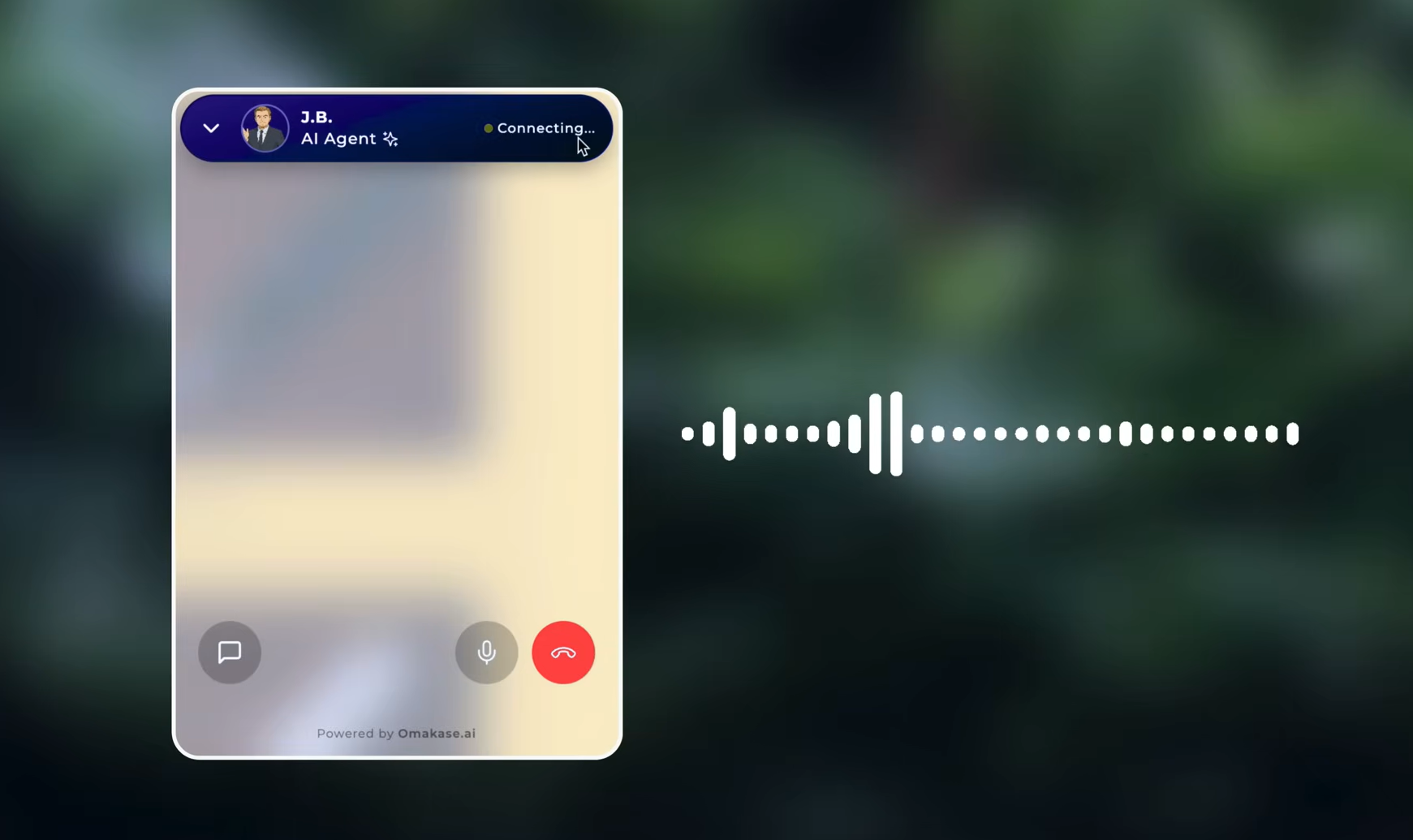
The chatbot can actually talk to customers using a realistic AI voice, which makes the experience feel more human.
Step 2: Install the Chatbot App From the Shopify App Store
Follow these steps:
- Go to the Shopify App Store
- Search for Omacase.ai (14 DAys Free trial )
- Click Install
- Approve the required permissions
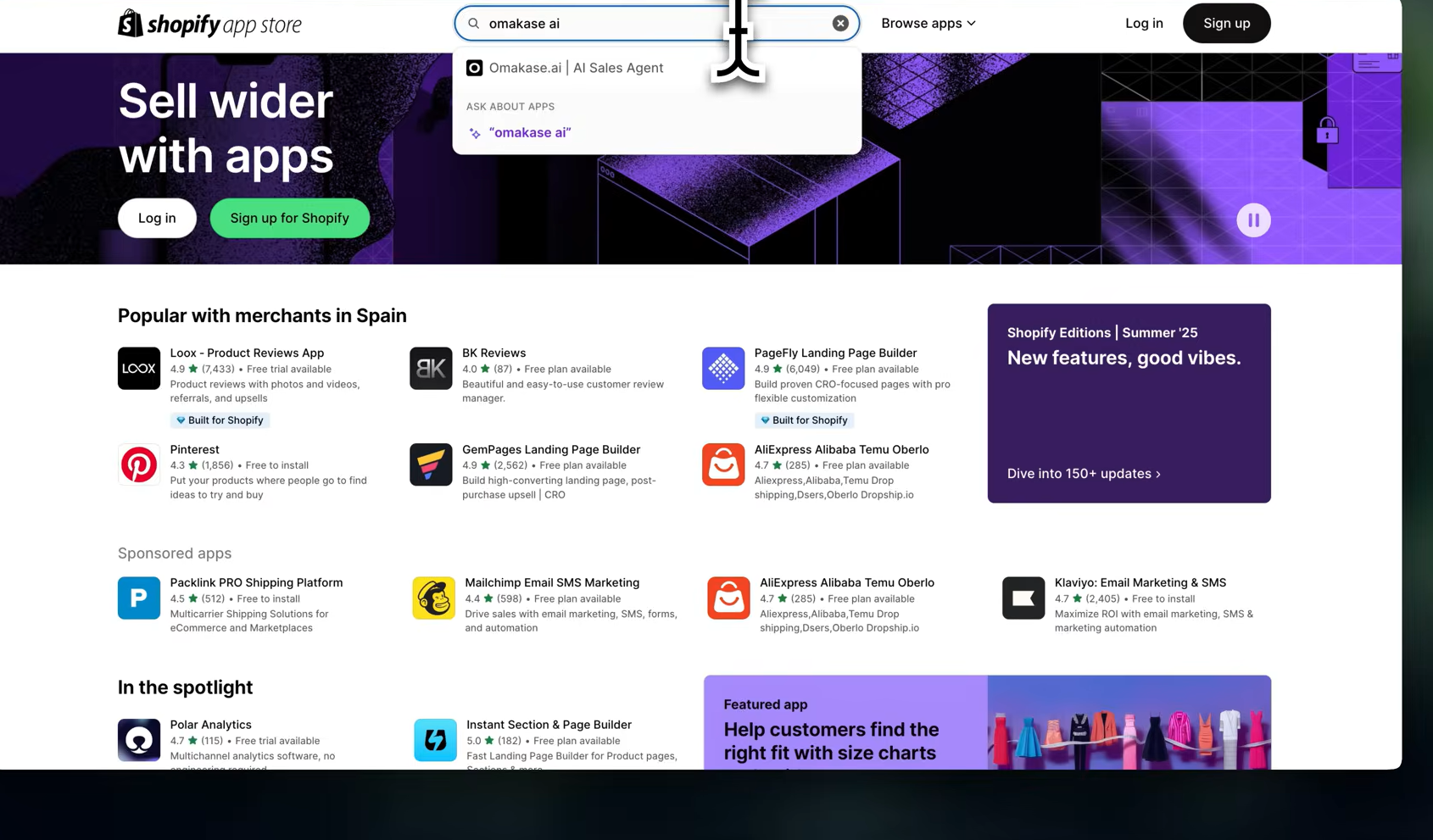
Once installed, you’ll be redirected back to your Shopify dashboard. At this point, the app is connected to your store. Meesage will be appear for you.
Step 3: Create Your AI Agent
Now it’s time to create the AI agent, which acts as your voice-powered sales and support assistant.
Here’s how it works:
- Go to the Omacas.ai dashboard
- Enter your Shopify store URL
- The system will automatically scan your store
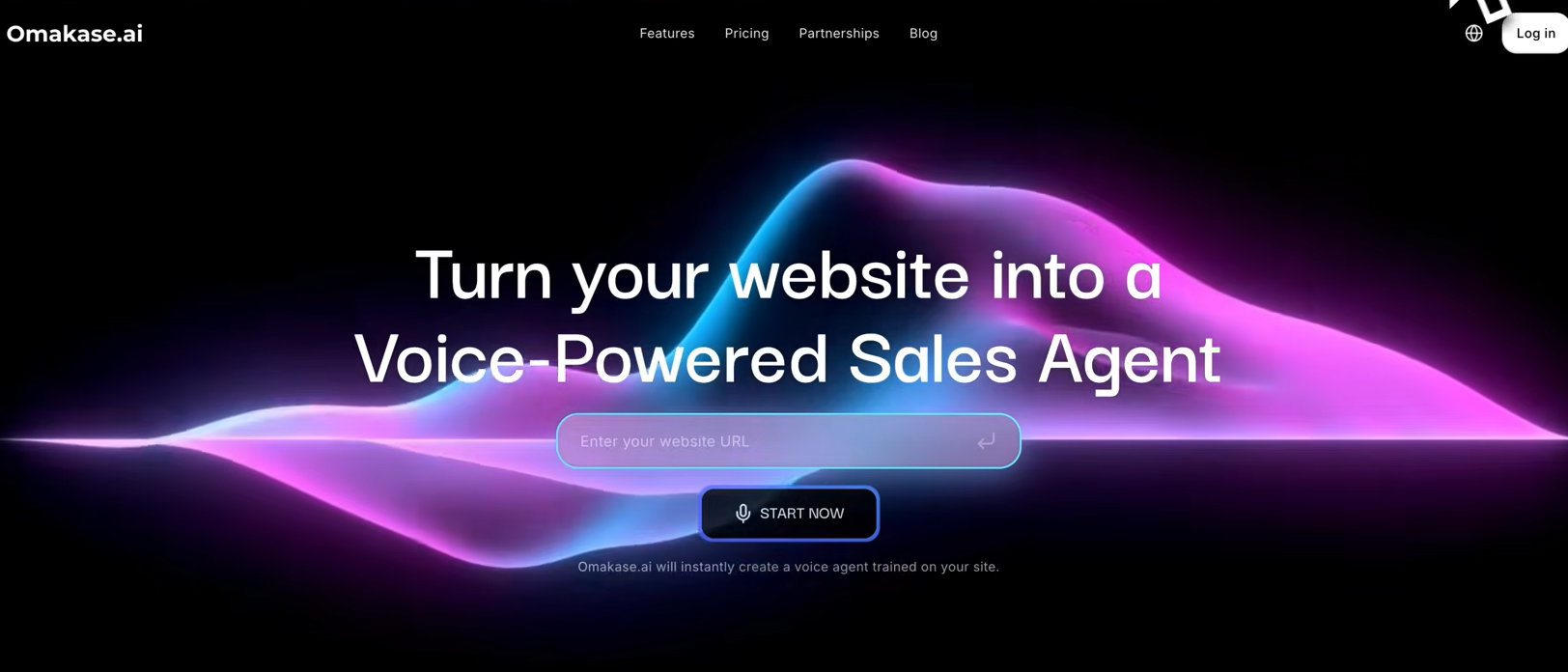
The chatbot will:
- Read your product descriptions
- Scan FAQs and store pages
- Learn basic store information
This process usually takes just a few minutes. Once completed, your chatbot is ready to answer customer questions.
Step 4: Test the AI Chatbot
Before making the chatbot live, it’s important to test it. Pretend you’re a customer and ask questions like:
- “Can you tell me more about this product?”
- “What sizes are available?”
- “Is this suitable for indoor or outdoor use?”
You can even talk to the chatbot using your voice, just like calling customer support. This step helps you understand how the chatbot responds and where improvements may be needed.
Step 5: Customize the Chatbot to Match Your Brand
One of the best features of modern AI chatbots is customization.
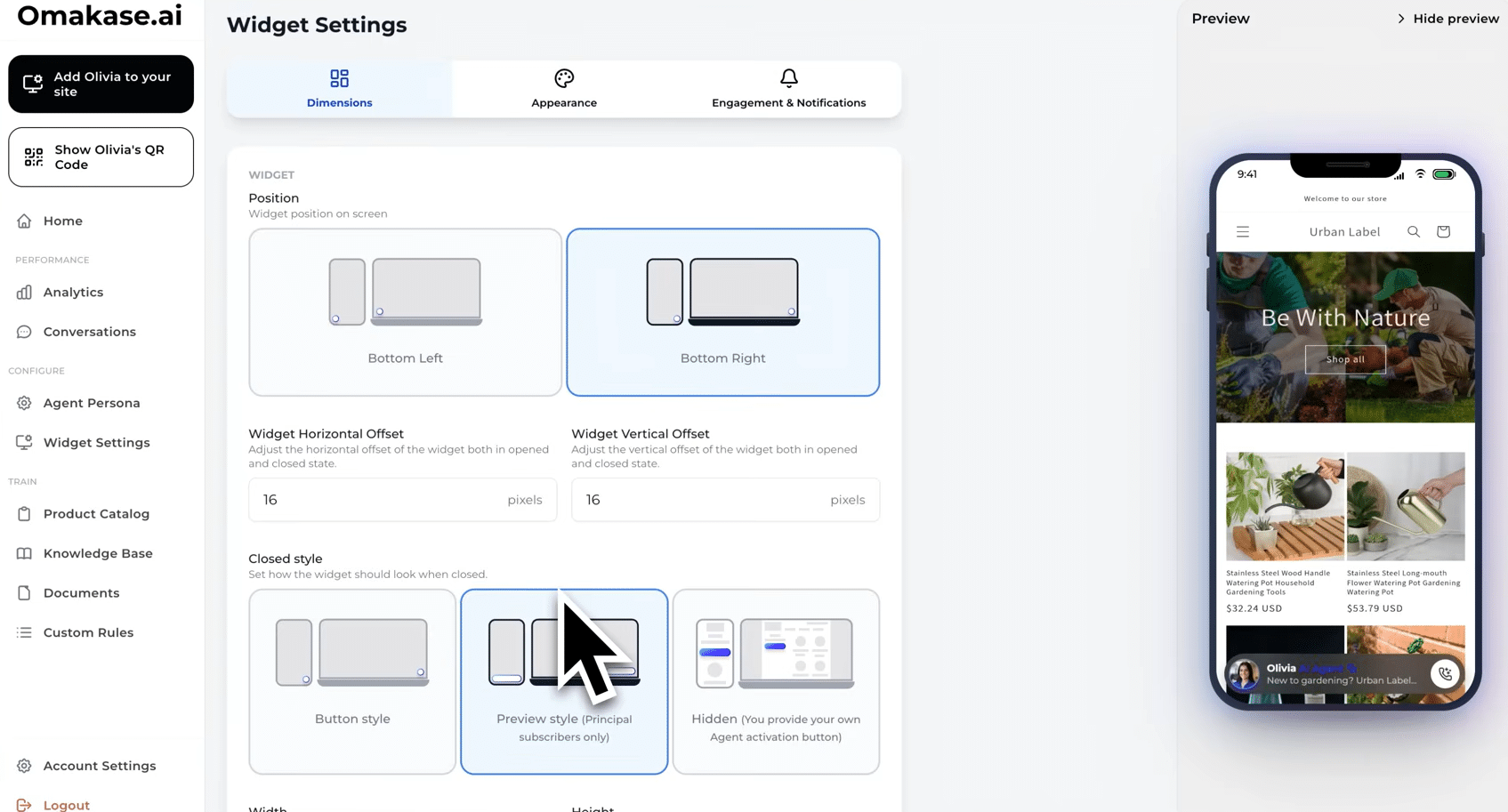
Inside the dashboard, you can:
- Set a welcome message
- Change the chatbot’s name
- Adjust its tone (friendly, professional, casual)
- Customize how the chatbot widget looks
This ensures the chatbot feels like a natural part of your brand instead of a generic tool.
Step 6: Add the AI Chatbot to Your Shopify Store
Now let’s make the chatbot live on your website.
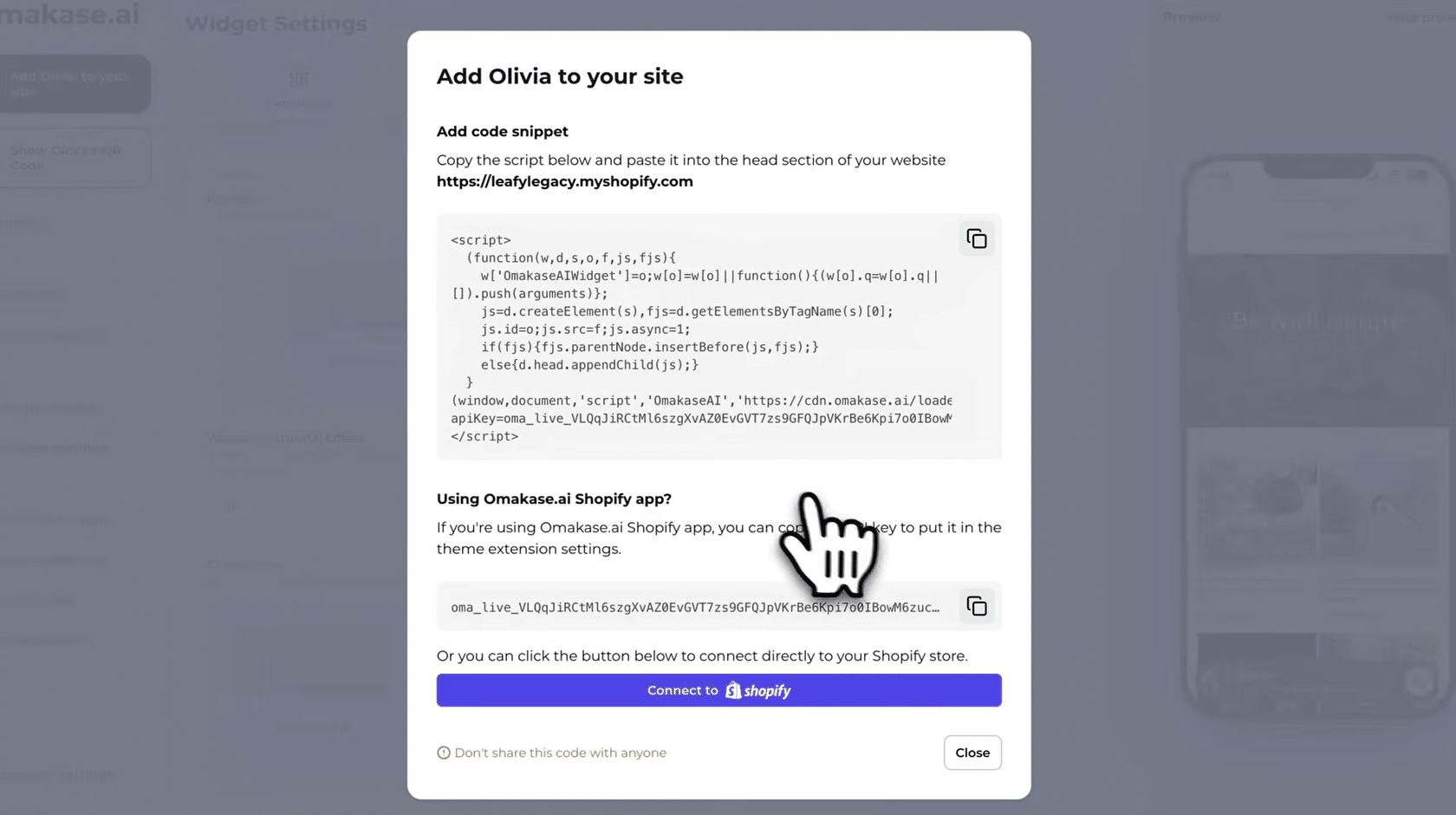
- In the chatbot dashboard, click Add Agent to Site (on the left upper corner – Look in the last attached image )
- Copy the provided API key
- Go back to your Shopify dashboard
- Open the Omacas app
- Click Enable Theme Extension

This will open your Shopify theme editor.
Next:
- Go to App Embeds
- Find Omacas.ai
- Paste your API key
- Turn the toggle ON
- Click Save

Step 7: Confirm the Chatbot Is Live
Once saved, visit your Shopify store.
You should now see the AI chatbot live and ready to assist customers.
From this point on, your chatbot can:
- Answer customer questions instantly
- Recommend products
- Handle basic support requests
- Be available 24/7
Step 8: Monitor and Improve Performance
After launch, your chatbot dashboard will show:
- What customers are asking
- Which products they interact with
- Common support questions
Use this information to:
- Improve chatbot responses
- Adjust product messaging
- Optimize your store experience
AI chatbots get better over time when you actively monitor and refine them.
Why AI Voice Chatbots Are Especially Powerful
Unlike text-only chatbots, voice chatbots:
- Feel more human
- Reduce customer frustration
- Improve engagement
- Add a premium, professional touch to your store
For many Shopify store owners, this creates a strong competitive advantage.
Final Thoughts
Adding an AI chatbot to your Shopify store is one of the fastest ways to:
- Improve customer experience
- Save time
- Increase conversions
- Automate support
The setup process is simple, beginner-friendly, and doesn’t require technical knowledge. If you want to scale your Shopify store efficiently, AI chatbot automation is no longer optional — it’s essential.
When Should You Hire an AI Chatbot Expert?
If your Shopify store:
- Has steady traffic
- Runs Facebook or Google ads
- Handles frequent customer questions
- Sells multiple products
…then working with an AI chatbot expert is often the smarter choice.
Professionals can:
- Design sales-focused chatbot flows
- Integrate advanced AI models
- Connect chatbots with CRMs and email tools
- Ensure accuracy and compliance
Many store owners choose AI automation professionals on Fiverr to get custom chatbot setups without hiring in-house developers. When discussing the work, Remember You should have explained well what you want. Also send them your store URL , So they can understand you better, As a freelancer I’m struggling mostly with the customers who dont explain what they want, But still they are expecting me to do something.
So I hope you found this blog post Useful. You learnt almost the latest updates, how to and why to have an AI chatbot. Hope you enjoyed! Im not very professional with writing, actually, but I think I delivered the message to you correctly. Don’t forget to leave me a comment! It will be a lot to me. Thank you for Reading!
